
Printer Buying Guide India: How to Choose the Best Printer for Your Home or Office
- , by Innova Retail Team
- 6 min reading time
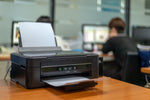
Choosing the right printer today can feel as confusing as picking a new smartphone. There are so many options: inkjet, laser, wireless, all-in-one, bright tank that most of us end up asking the same question:
Which printer is best for me?
The answer depends entirely on how you plan to use it. Whether you're a student printing assignments, a work-from-home professional, or managing a busy office, this Printer Buying Guide India will help you make an informed decision so you get the correct device, save money in the long run, and print smarter every day.
1. Understanding Your Printing Needs
Before comparing specs and prices, it's essential to ask yourself why you need a printer. Here's a quick breakdown to guide your choice:
For Home Use
If your family needs a printer for school projects, travel documents, or occasional photos, choose a compact multifunction inkjet that can print, scan, and copy. It keeps things simple without taking up much space.
Tip: Look for a printer with wireless connectivity so you can print directly from your phone or tablet, no cables, no fuss!
Explore: Home & Office Printers
For Home Offices
Remote professionals or freelancers need something faster and more reliable. Consider a LaserJet printer with automatic duplex printing and larger paper capacity. It's ideal for contracts, invoices, and long reports.
Did you know? Laser printers are usually more cost-efficient for black-and-white text-heavy documents.
Check out our range of Laser Printers.
For Small to Medium Offices
Shared office printers should handle higher workloads without slowing down. A multifunction laser printer (MFP) with scanning, copying, and faxing features will keep your team productive.
Pro tip: Go for a model that supports job queuing and network printing. This prevents printer bottlenecks during peak hours.
Explore: All-in-One Printers
For Large Businesses or Enterprises
Enterprises with multiple users and departments need high-speed laser printers with high duty cycles, large paper trays, and advanced security features. HP's LaserJet series, for instance, is a trusted choice for corporate use.
View all: Printers
2. Top Features to Consider When Buying a Printer
Let's simplify the jargon and focus on the key features that really matter.
Print Speed
Measured in pages per minute (ppm), print speed decides how quickly your documents are ready.
- Home users: 10–20 ppm is enough.
- Small offices: 20–30 ppm.
- Enterprise: 40+ ppm.
Quick tip: Color prints usually take longer than black-and-white ones. Always check both numbers before buying.
Color or Black & White
If you print mostly text, a monochrome laser printer is perfect and budget-friendly.
If you often print photos, graphics, or colored documents, choose a color inkjet or laser model.
Recommended options:
Single vs. All-in-One Printers
Single-function printers are great for minimalists.
All-in-one printers (also called MFPs) can print, scan, copy, and sometimes fax, making them perfect for homes and small offices.
Explore: All-in-One Printers
Fact: Many modern AIO printers are as compact as single-function models, so you don't have to compromise on space.
Inkjet, Laser, or Smart Tank — Which One's Right for You?
| Type | Best For | Pros | Example |
|---|---|---|---|
| Inkjet | Home users, photo printing | Affordable, vibrant color quality | HP Laser 1008w Printer |
| Laser | Offices, frequent printing | Fast, cost-effective per page | HP Laser 303D Printer |
| Smart Tank | High-volume printing | Low running cost, refillable tanks | HP LaserJet Tank MFP 2606sdw |
Pro Tip: If you print more than 300 pages a month, a Smart Tank or Laser printer will save you a lot on cartridge costs.
Paper Handling
Pay attention to how many sheets your printer can store.
- Basic printers: 50–100 sheets
- Office models: 250–500 sheets or more
- If you often print on different sizes (A4, legal, photo paper), check that your printer supports multiple formats.
Duty Cycle & Monthly Volume
The duty cycle tells you how many pages a printer can safely handle per month.
- Home printers: 1,000–3,000 pages
- Office models: 10,000–50,000+ pages
Tip: Don't constantly push your printer to its maximum duty cycle, as it can shorten its lifespan.
Energy Efficiency
Eco-conscious buyers should look for ENERGY STAR® or EPEAT® certified printers. These not only save electricity but also reduce your long-term operating costs.
Total Cost of Ownership
The printer price is just one part of the story.
Consider these ongoing expenses:
- Ink or toner refills
- Maintenance and spare parts
- Energy consumption
- Paper and accessories
Tip: Buying an efficient printer might cost a little more upfront, but it saves a lot over time.
Cartridge Efficiency & Instant Ink
High-yield or XL cartridges can double your print output and reduce cost per page.
HP's Instant Ink service also helps track your ink levels automatically and sends new cartridges before you run out. Convenient and smart!
Expert Tips Before You Buy
Go wireless: Modern printers with Wi-Fi Direct or Bluetooth make printing from laptops and smartphones effortless.
Think ahead: Choose a printer with features that match your future needs — especially if you plan to print more over time.
Test print quality: If possible, print a sample document before finalizing your choice. Look for clarity, color accuracy, and paper compatibility.
Consider after-sales support: Always buy from trusted retailers like Innova Retail for authentic HP products and reliable customer service.
Final Thoughts
There's no one-size-fits-all answer when it comes to choosing a printer. The right printer depends on your print volume, quality expectations, and budget.
- For home users → Inkjet or Smart Tank printers
- For small offices → All-in-one LaserJet models
- For enterprises → High-speed, heavy-duty Laser printers
Explore our full collection of HP Printers in India and find the perfect match for your needs. Whether you're printing assignments, business reports, or vibrant photos, Innova Retail makes it simple to buy genuine HP printers online, backed by trusted support and fast delivery.


